 GSukaj
The lighting desk in your pocket.
Designed by a film lighting technician for the moments when a light needs to respond immediately.
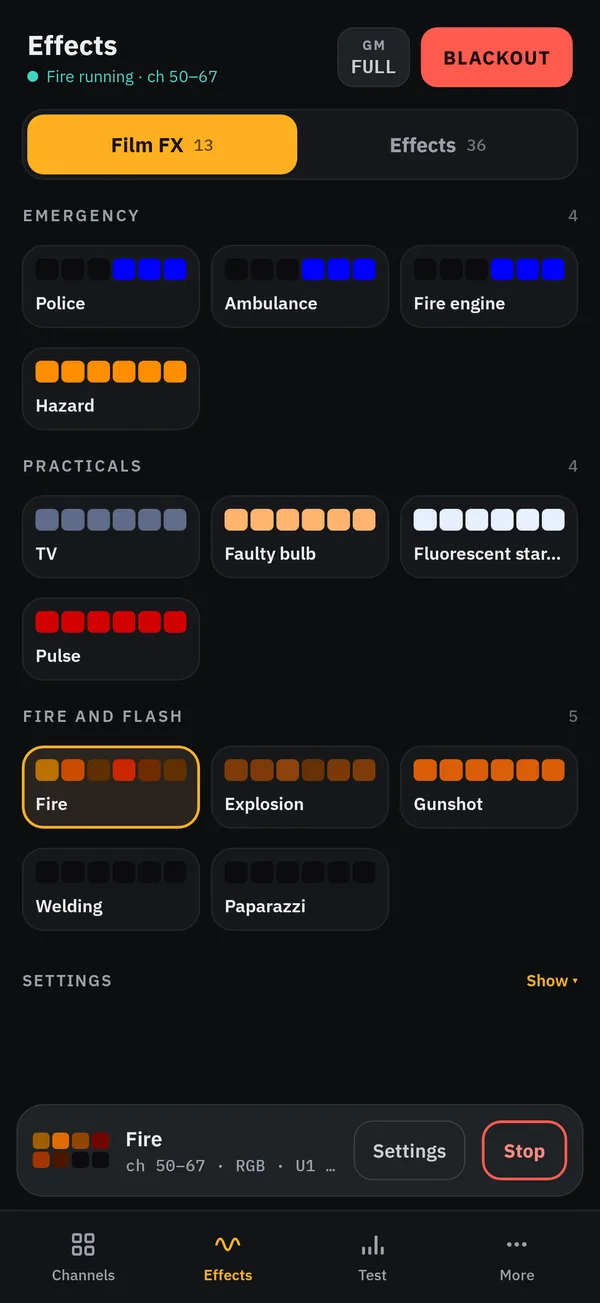
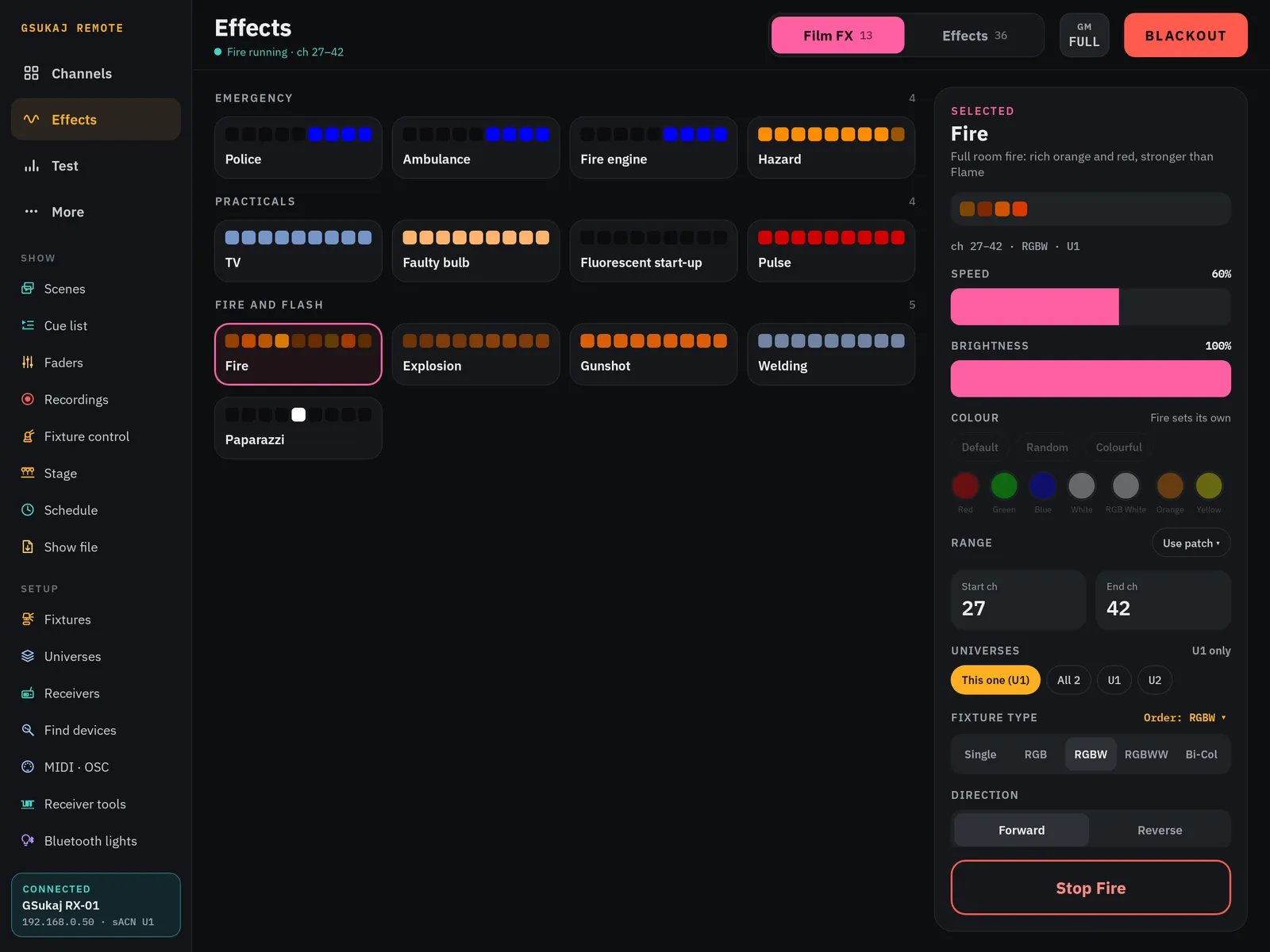
Effects that look real on camera
Choose an effect and assign it to the fixtures you want. Speed, colour, size and randomness are adjustable alongside it, so you can fine-tune the look while the camera rolls.
- Emergency lights, practicals, fire and flash
- Adjust settings live while the effect runs
- Assign each effect to specific fixtures
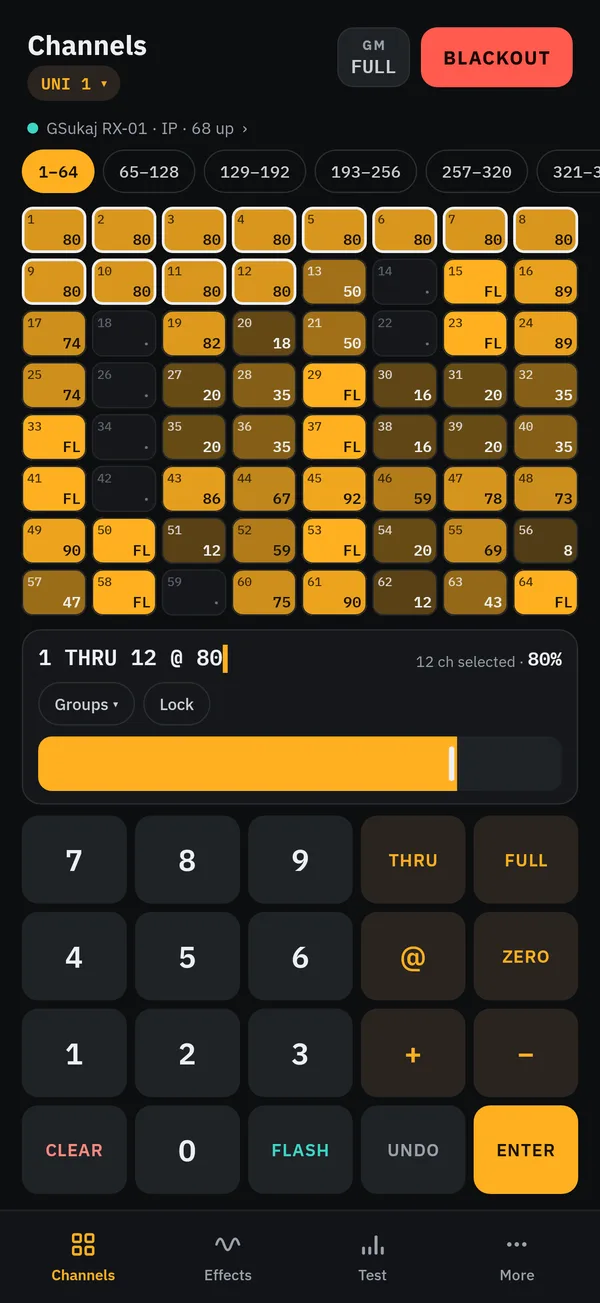
Console-style keypad
Enter commands as you would on a console: 1 THRU 12 @ 80, Enter. Every channel in the universe is shown on one screen, with its level visible at a glance.
- THRU, @, +, −, FULL, ZERO, FLASH, UNDO
- All 512 channels, several universes
- Grand Master and Blackout on every page
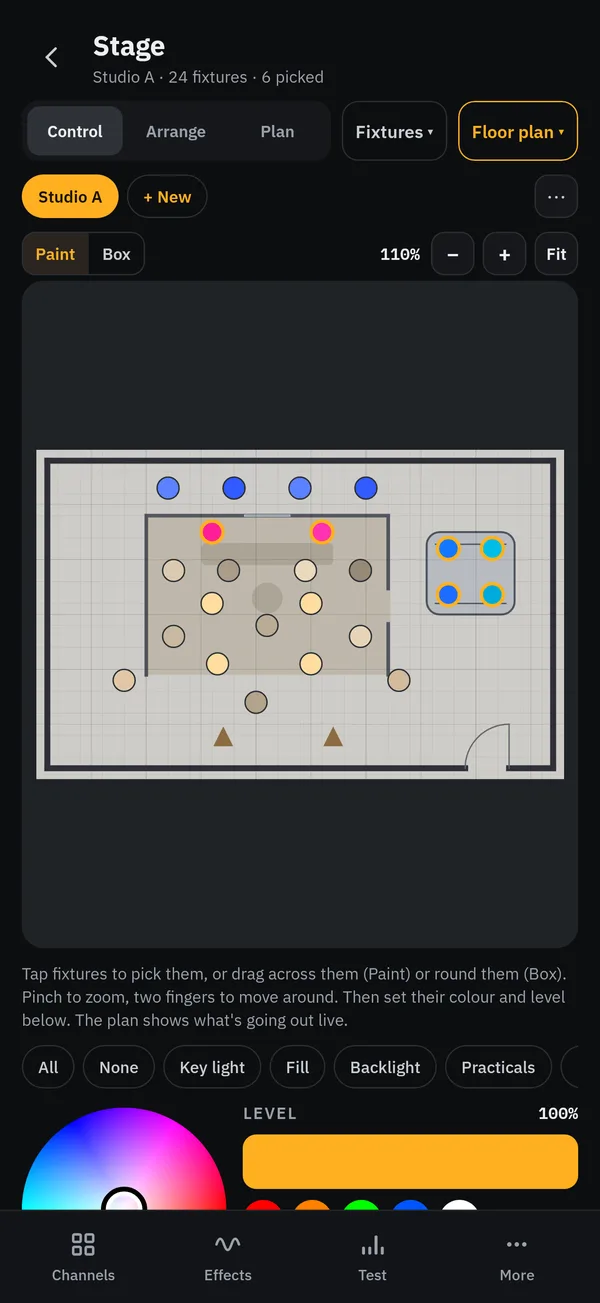
Your rig on the floor plan
Photograph or import the floor plan, set its scale and place each fixture in its real position. Zoom freely, draw a selection around a group and control those fixtures together.
- Named stages, one per set or location
- Paint or box-select fixtures
- Saved inside your show file
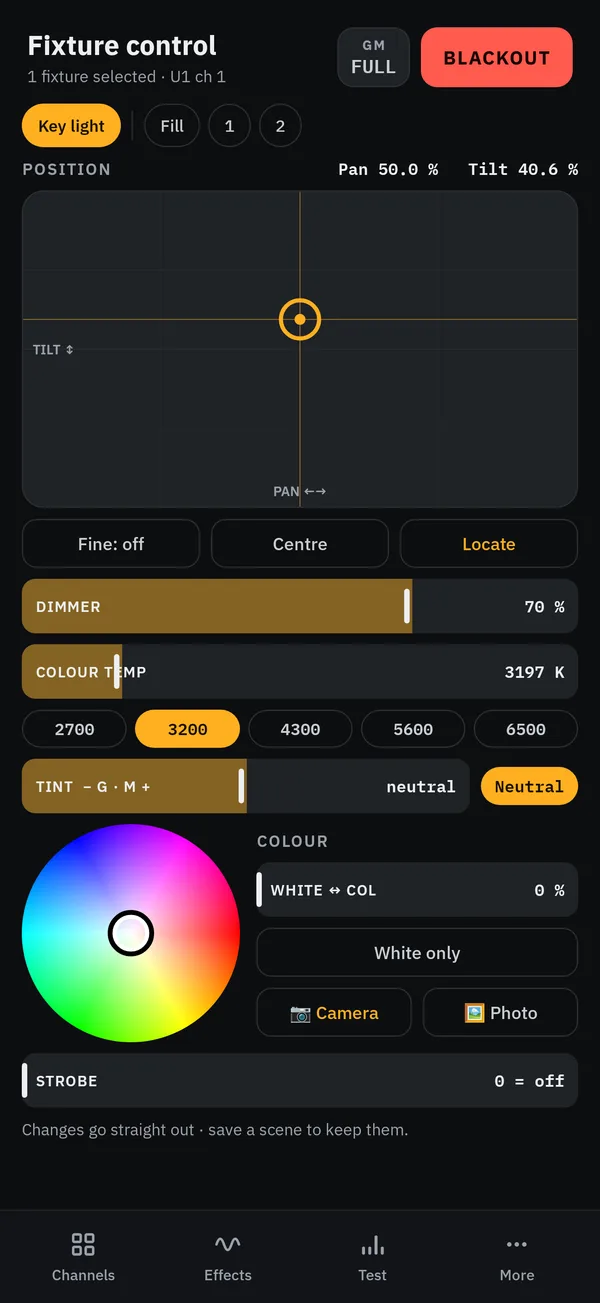
Colour temperature, tint, hue and level
Set colour temperature and green/magenta tint just as you would on the fixture, or pick a colour from the wheel or the camera. Moving heads also get pan and tilt control.
- 2700 K to 6500 K presets, tint to neutral
- Colour wheel and colour from photo
- Fixture library to patch your lights
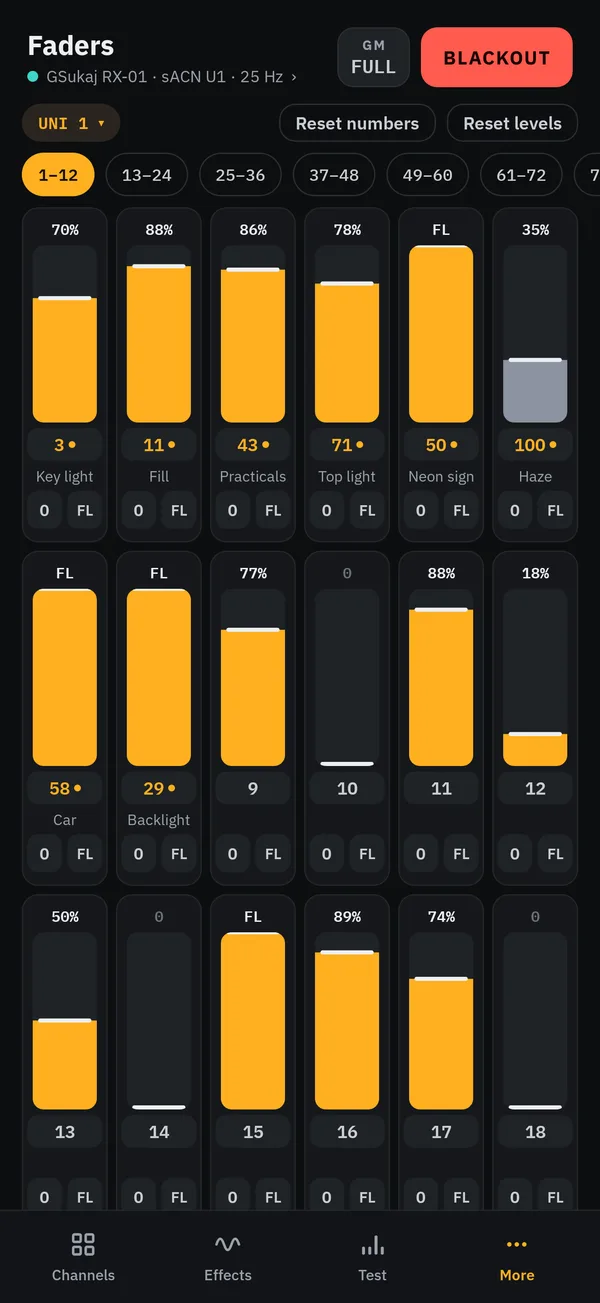
512 faders, named your way
A fader for every channel, numbered 1 to 512. Label them Key, Fill or Backlight, renumber them, or reset all levels in one tap.
- Vertical desk layout, 15 per row on iPad
- Switch universes with one tap
- Scenes, cue lists and recordings
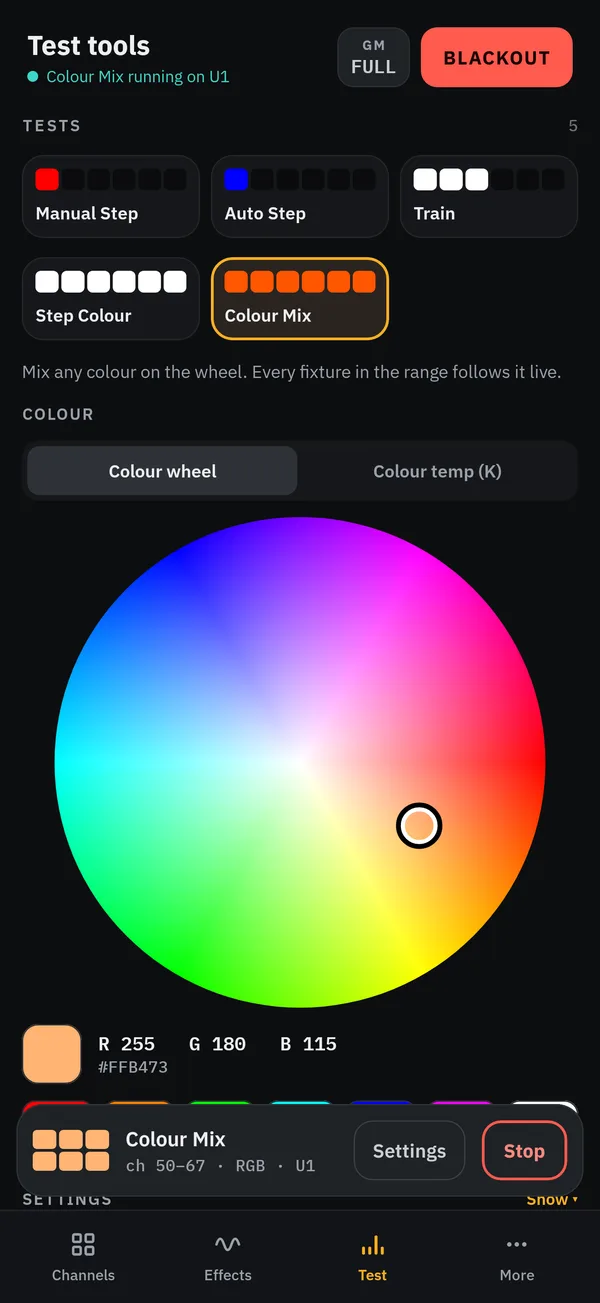
Check your patch in seconds
Step through channels one at a time (hold Next to move quickly), chase them automatically, or run a colour mix across every fixture to identify any that are misaddressed.
- Manual step, auto step, train and step colour
- Colour mix with colour wheel and Kelvin
- DMX input monitor
On iPad it becomes a full desk.
A sidebar for every page, all 512 channels on one screen and space for a full fader wing. Rotate your iPhone to landscape for the same layout.
Recent additions.
Included free in every update, on every platform.
Pixel mapping for LED strips
Lay out LED strips and panels on a floor plan, then run any effect across them in any direction. Each stage has its own map, saved with the show.
Rockets
A rocket travels along your fixtures and bursts into colour at the end. Find it under Effects › Sparkle.
Full backup
Save everything in one file: shows, stages, floor plans, fixtures and settings. Restore it on a new phone or computer and continue where you left off.
Receiver WiFi channel
See which WiFi channel your GSukaj receiver is using and move it to a clearer one (Auto, 1, 6 or 11) on congested sets.
Link monitoring
The Connect page shows the WiFi channel, response time and the last dropout, while More › Universes shows the actual output rate.
Fixture hotspots
Connect to an LED controller's own hotspot from within the app. It finds the controller automatically, even with mobile data switched on.
Works with your existing lighting.
Any network lighting
Outputs sACN (E1.31) and Art-Net over WiFi to nodes, LED panels and pixel fixtures, by unicast or multicast, across multiple universes.
Wireless DMX receiver
Pair a GSukaj receiver over Bluetooth and it switches to WiFi automatically. Connect it to any DMX fixture for cable-free control.
Wireless DMX transmitter
Output to GSukaj Vera for CRMX and wired DMX. Its battery level and status are shown in the app.